
Managed functions
We find where AI can help, then build it into how your company works.
Project management. Client relations. Sales. Bookkeeping. Operations. When a growing company needs one of these, the reflex is to hire. We run them for you instead, as managed business functions.
You never buy the software. You buy the function, and it gets better at your business every month.
Talk with us→
Three things, working together
You talk to the person. The software and the agents do the work.
The hiring reflex
You need the business function. You do not need another hire, or another tool.
Put the busywork on autopilot. Unleash your team.
A company of five to fifty people runs on the founders holding operations together. Every new client, project, and team member adds handoffs.
The usual answers are a hire, who needs managing, or a tool, which needs updating. Neither delivers the function; both add work.
That is what we deliver. Whether you run an agency, a trades or contracting business, or a practice, the functions are the same. Only the details of your company change, and those are the part we customize.
Ten functions
Start with the one that hurts.
Each function is the job a company would otherwise hire for, named for the work rather than a title. Add them in whatever order your pain dictates. Each one comes in one of three sizes, which sets its price.
- —Turns meetings, email, and chat into tracked work with a responsible person and a date.—Opens a new stream of work the moment a client says yes, with the plan and tasks already drafted.—Keeps every project current without anyone chasing updates.—Watches for stale work and nudges owners before a promise slips.—Escalates risks to a person while there is still time to act.—Shows who is overloaded next month, not just what is due this week.—Gives every row a name, an owner, and a next action, so no one has to ask what a line means.—Runs the weekly review and prompts people for agenda items instead of waiting for them.—Checks delivered work against your standards and routes corrections.—Replaces the shared spreadsheet everyone hates with one plan the whole team can see.
- —Welcomes a new client the moment the agreement is signed and collects what delivery needs.—Prepares the agenda, outcomes, and materials for every client meeting from the last one.—Drafts the recap email while the meeting is fresh, routes it for review, and sends it.—Captures the client's replies back into their record, so nothing lives only in an inbox.—Offers the client times when your team is free and books the meeting with the right link.—Gives each client one place to see status, decisions, documents, and requests.—Collects approvals and information without email archaeology.—Sends the pre-session and post-session materials each client needs, on time, every time.—Gathers feedback from every channel and routes problems to an owner.—Prepares the renewal conversation before the contract date becomes urgent.
A standard hosted client surface with your branding, content, and permissions is included. A bespoke portal, payments, or a standalone application is custom work.
- —Answers visitor and inbound questions from information you have approved.—Qualifies interest, collects context, and books the next conversation.—Prepares useful context before every sales conversation.—Drafts the follow-up after each conversation and keeps the thread alive until there is an answer.—Nurtures stalled opportunities and keeps the pipeline current.—Turns agreed terms into a proposal and contract from your templates and routes them for approval.—Tracks the signature and files the signed agreement where the team will find it.—Hands the signed deal to delivery with the full context intact.—Keeps your CRM honest, so the pipeline view is the real one.
A standard hosted or embeddable website surface for questions and qualification is included. A bespoke website or visual system is custom work.
- —Finds companies and people who fit your ideal customer.—Researches each prospect before reaching out.—Writes and sends outreach using your approved positioning.—Follows up on a steady cadence without letting interested prospects go cold.—Handles routine replies and brings nuanced ones to a person.—Books meetings straight onto the right calendar.—Audits whether every conversation is well served and flags the ones at risk.—Reports each week on what was sent, who replied, and what moved.—Learns from what worked and adjusts the outreach, with a person approving the change.
- —Builds campaigns from approved goals, audiences, budgets, and creative.—Watches spend and conversion daily and pauses what is not working.—Proposes, runs, and reads experiments on ads and on the landing pages they send people to.—Drafts and ships landing-page changes inside your approved brand.—Flags broken tracking, unusual costs, and weak conversion before a month of budget is gone.—Keeps creative and copy fresh from material you have already approved.—Asks before a budget change or a new claim goes live.—Reports what changed, what worked, and what is next, in plain language.
Never spends above the agreed budget. Landing-page changes to an existing site are included; a new site or visual system is custom work.
- —Responds to supported customer questions quickly.—Looks up account and product context before answering.—Asks for missing information instead of starting a long back-and-forth.—Updates the support record and watches response commitments.—Escalates sensitive or unfamiliar issues with a useful summary.—Follows up until the customer confirms the problem is solved.—Notices when the same question keeps coming up and drafts the answer once.—Reports which issues are growing and which customers are affected.
- —Reads billing terms from contracts and approved scopes, however each client is billed.—Builds each invoice from the hours, sessions, or milestones that actually happened.—Lifts billable time from the calendar so nobody backfills a timesheet two weeks late.—Sends invoices on schedule and follows up politely before they become awkward.—Tracks what has been sent, viewed, paid, or disputed.—Collects bills, receipts, and expenses, matches them to approvals, and flags what looks wrong.—Bills client-chargeable expenses back and prepares reimbursements for approval.—Keeps revenue, cash, margin, and forecast views current and explains meaningful changes.—Shows what each engagement cost against what was scoped.—Prepares a decision-ready management report on schedule.
Never releases funds. Your books are signed off by your accountant, or one we introduce.
- —Turns approved articles, recordings, and events into channel-ready pieces without inventing claims.—Adapts format for each channel without changing your point of view.—Keeps one library of your content, so the right version is always the one people find.—Schedules and publishes through the channels you approve.—Drafts newsletters and updates from what the company did this month.—Tracks what was distributed and how people responded.—Finds strong existing work worth reusing.—Asks before anything new goes live.
- —Gives every person on the team their own assistant, set up around how they like to work.—Briefs each person every morning on their email, calendar, and tasks.—Triages the inbox, flags what matters, and archives what does not.—Drafts replies in that person's voice and holds them for approval.—Handles scheduling, including finding a time the whole team is free and sending the client the options.—Runs the tedious routines each person hands over, on the schedule they set.—Books travel and events the way that person likes them, with a person confirming before anything is paid.—Gives the whole company one chief of staff that routes work to the right person and runs the regular reports.—Answers questions across the company from what the company already knows.—Notices work someone keeps doing by hand and suggests handing it over.
Each person's assistant reads only the accounts that person connects. The company chief of staff sees what the company shares, never a person's private inbox.
- —Starts from approved templates, precedent, and matter facts.—Prepares first drafts, comparisons, and redlines.—Highlights open questions and unusual provisions.—Keeps the source behind each important choice traceable.—Keeps signed agreements and amendments in one searchable place.—Pulls out obligations, notice periods, renewal dates, and deliverables, each with an owner.—Reminds people early enough to make a real decision.—Assembles a clean review packet for the named reviewer.
Externally relied-upon documents are always signed by your lawyer, or one we introduce.
Payroll and tax accounting are not offered yet; we add them when we have a licensed partner to sign for them.
A function that is particular to your company can be designed as custom work. It runs on the same systems and stays visible in the same place.
How a function gets delivered
We do the hard part.
You do not have to map every process, choose a stack, or become an automation expert. We find the pain, customize the function to how your company already works, run it, and keep improving it.

- 01
Find where it hurts most
A 30-minute working session about where work is getting stuck. We come back with a proposal naming the first function, its 90-day outcomes, and the evidence we will use to prove them.
- 02
Customize the function to your company
We learn how the work really moves, connect the tools you already use, encode your language and judgment, and agree where a person reviews or approves before anything goes out.
- 03
Run it
The function goes live on a written date. It drafts first and acts later, as each workflow earns trust. Your operating partner watches exceptions and stays reachable.
- 04
Improve it, then add the next one
Month by month the function understands your business better and takes on more. When the next pain point is clear, we add the next function. There is no required order.
One person to call
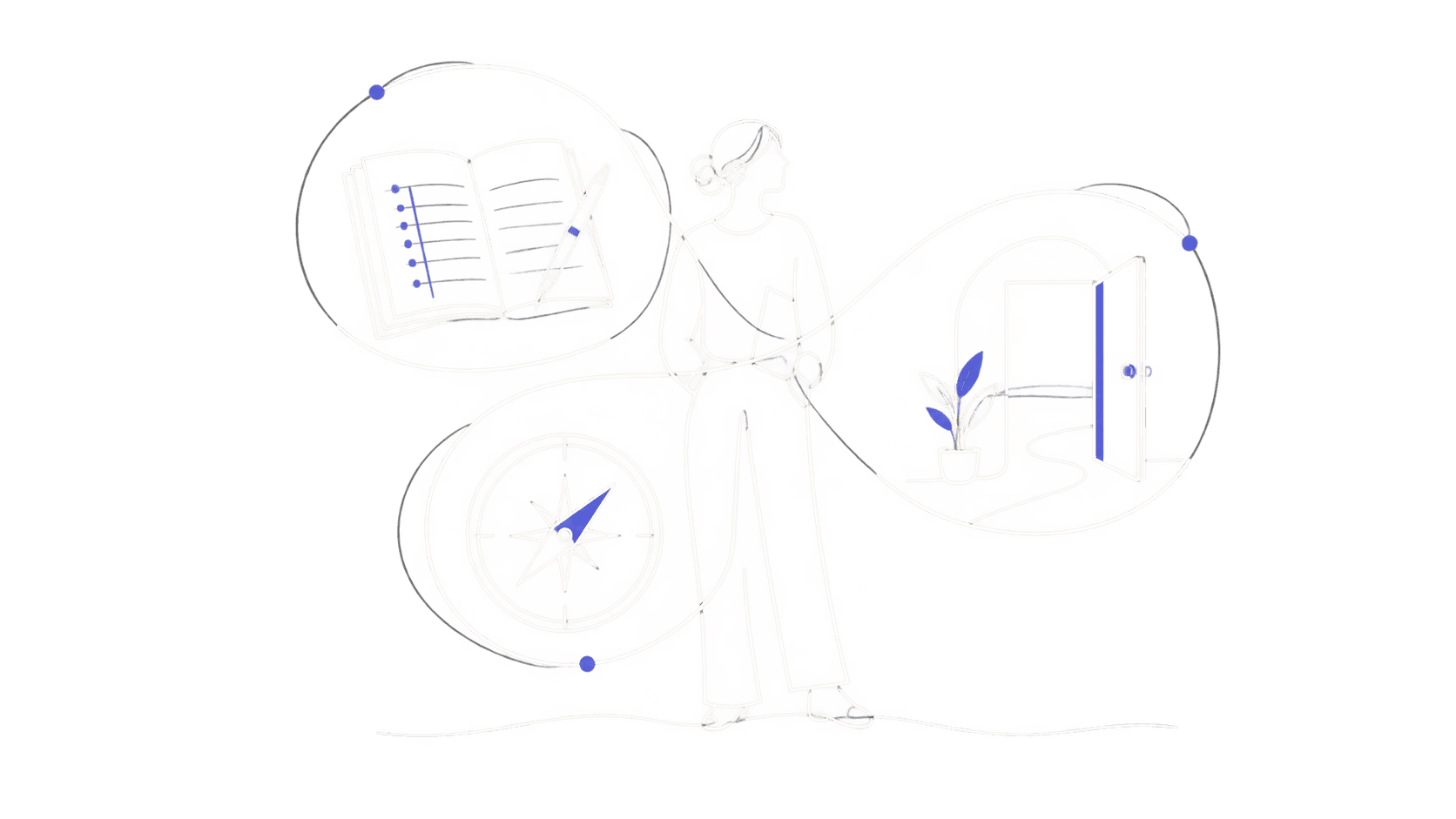
Your operating partner.
Every client has one named operating partner who manages every function you run with us. They are the person you talk to, the person who customizes the systems to your company, and the person accountable when something needs judgment.
We do not hand you a system and leave. The person who set it up stays on your account. Think of it as hiring a department head who brings their own team and tools.
The AI agents handle the repetitive work. Your operating partner handles the judgment calls, and our team customizes the function as your company changes.
Where you see the work
See the work. Trust the system.
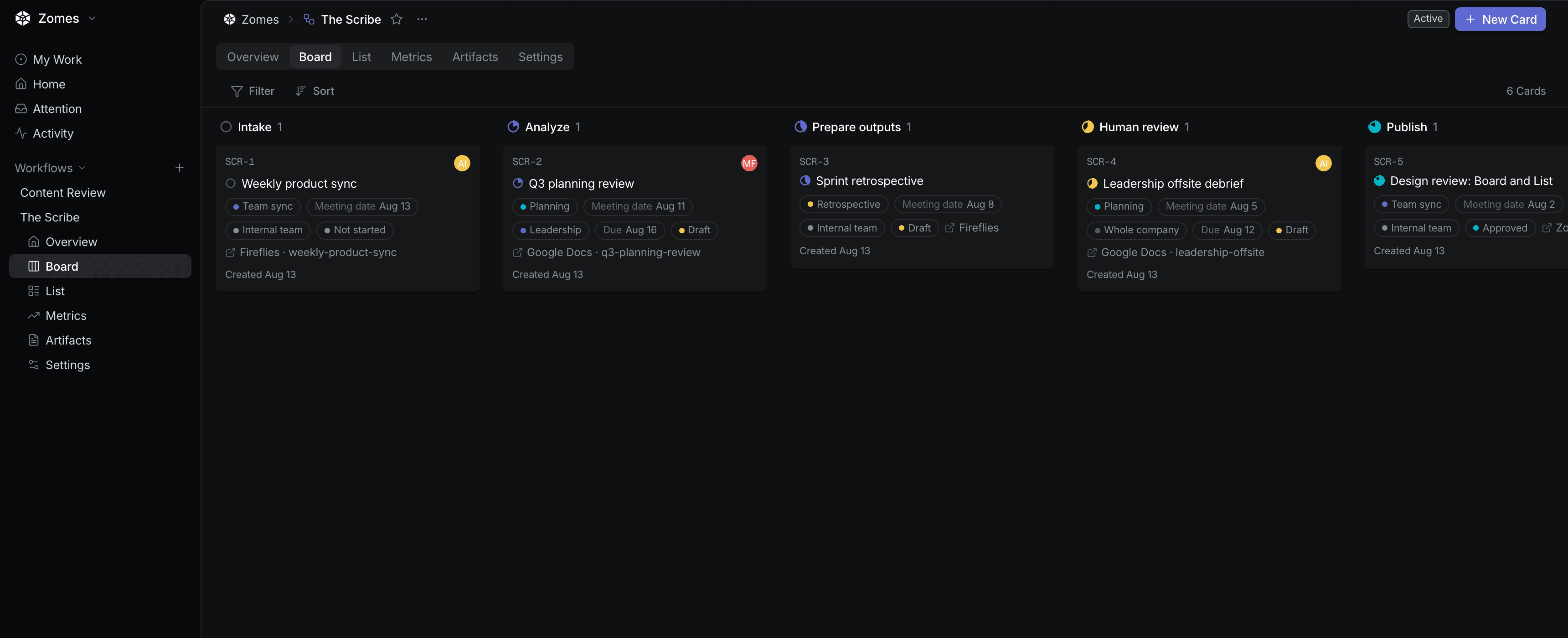
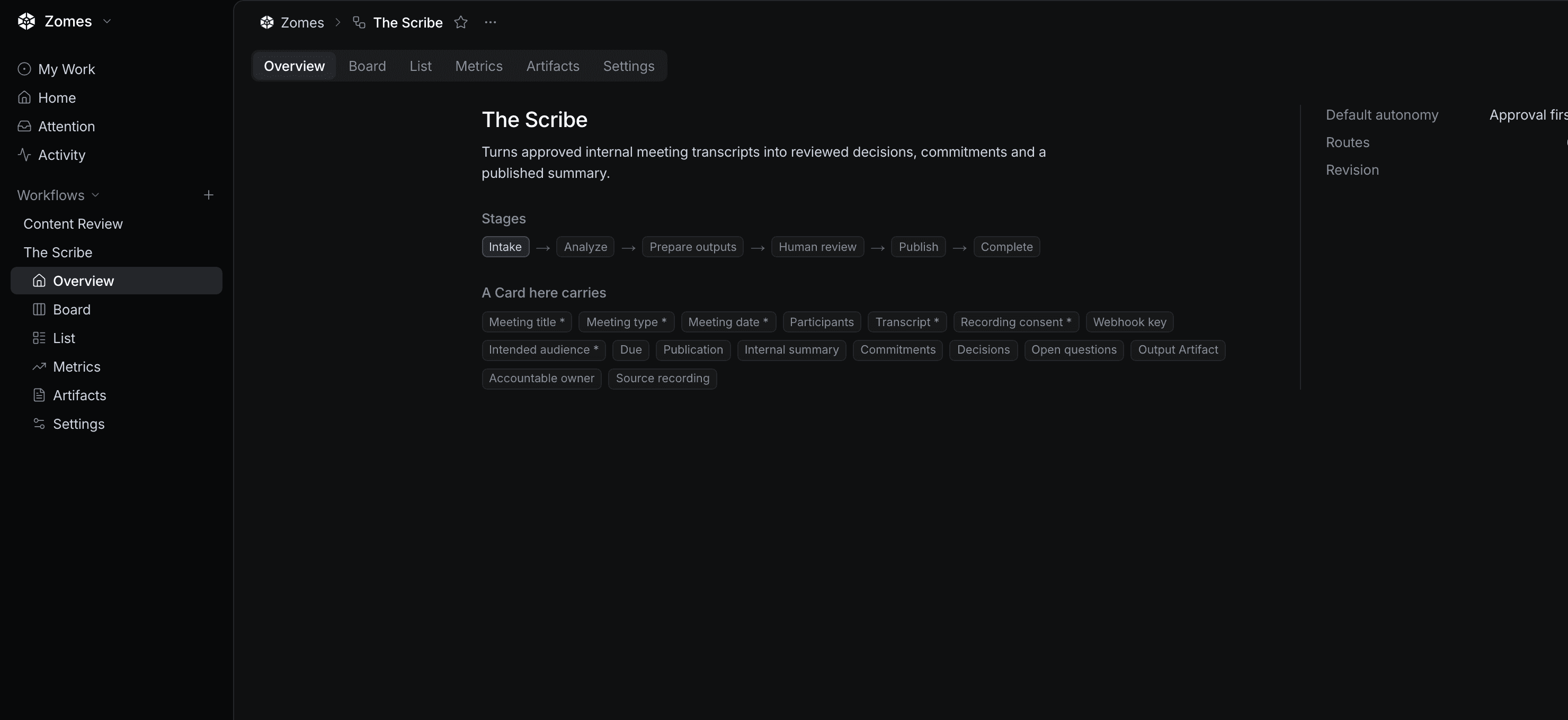
Every function runs on Operating Studio, the system we bring with us. It keeps the work visible and gives your company one place to see what is moving, what is waiting, and what has already been handled. Some clients open it every day. Some never open it at all, because they talk to their functions where they already work.
The better question
How should this work when follow-through is always available?
Most processes were designed around scarce attention: work gets batched, updates wait for meetings, follow-ups depend on someone remembering. We do not automate every existing step. We redesign the function for a world where commitments can be watched continuously and briefings are ready before they are needed.
Trust, earned one workflow at a time
Drafts first. Actions when you say so.
A function begins by observing, organizing, and drafting. As a workflow proves reliable, you let it do more. Approval rules can differ by person, project, and function, and your team can always see what happened and intervene.
Pricing
Clear monthly pricing, per function.
Each function has a size and a monthly fee. Your company band multiplies it. Setup for a function is 3 times its monthly fee. Onboarding happens once per company. That is the whole price.
| Company band | Small | Medium | Large | Onboarding, once |
|---|---|---|---|---|
| 5–10 peopleor up to $3M trailing revenue | $1,000/month | $1,750/month | $2,500/month | $5,000 |
| 11–20 peopleor up to $6M trailing revenue | $2,000/month | $3,500/month | $5,000/month | $10,000 |
| 21–35 peopleor up to $10M trailing revenue | $3,000/month | $5,250/month | $7,500/month | $15,000 |
| 36–50 peopleor up to $15M trailing revenue | $4,000/month | $7,000/month | $10,000/month | $20,000 |
| More than 50 people or more than $15M trailing revenue | Custom engagement | Custom engagement | Custom engagement | Custom engagement |
How pricing works
Example: An eight-person company starts with Project Management and Bookkeeping & Invoicing. Ongoing service is $4,250 per month. Setup is $12,750, and onboarding is $5,000.
This example is illustrative. Your band, functions, and each function's first 90-day outcomes are confirmed in the proposal.
A partnership you can leave
Prove it in 90 days. Never be held hostage.
Before a function goes live, we write a one-page 90-day plan for it. It names measurable outcomes, the evidence for each one, the responsible people, and the date the function goes live. Installation is scheduled within 30 days unless the proposal names a longer dependency before kickoff.
At day 90, we review the agreed evidence. If we have not delivered every committed outcome for that function, you may end it and receive that function's monthly service fees for the outcome period back. Setup and onboarding cover completed work and are non-refundable once that work begins.
After its 90 days, each function continues month to month and can be ended on its own with 30 days' written notice. One agreement covers the engagement; functions are added by order form.
Start where it hurts
Tell us which function your company keeps doing by hand.
The first step is a 30-minute working session about where work is getting stuck. We respond within two business days, and you do not need to prepare anything. We come back with a proposal naming the first function and its 90-day outcomes.